SAASInventory

Your Phone Is Your Inventory Tool

The Inventory Pro mobile app works on any iPhone, Android, or tablet. Scan barcodes with your camera, update stock, and do counts right from your pocket. No special hardware needed.

What You Can Do

Works on any phone or tablet - iPhone, Android, even older models. No expensive industrial hardware required.

If Wi-Fi drops, the app keeps working and syncs everything when you're back online.

For dedicated scanner information, see our Supported Scanners page. For label printing hardware, see the Supported Printers page.
Mobile App Features

Receive and Issue Stock

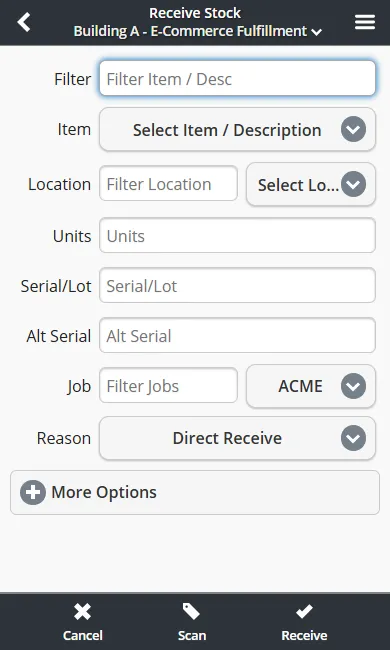
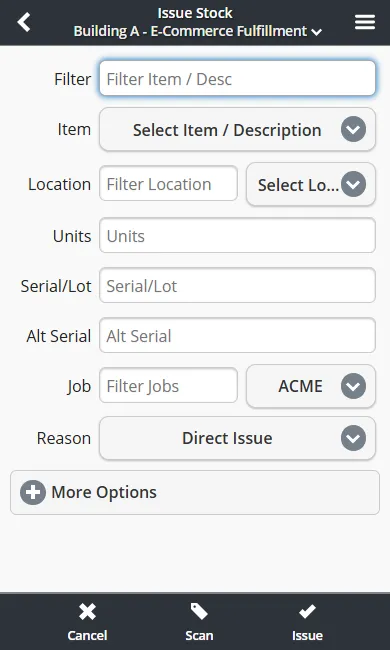
Put items into stock or send them out. Track serial numbers, lots, and quantities with a scan.

Scan With Your Camera

Use your phone camera to scan barcodes. No special scanner or hardware needed.

Quick Cycle Counts

Count what you have and update stock levels without shutting down the warehouse.

Batch Order Picking

Pick multiple orders at once and move through the warehouse faster.

Works Offline

Wi-Fi spotty? No problem. The app keeps working and syncs everything when you're back online.

Pick and Pack Orders

Walk through orders step by step - scan the next item and go.

Guided Putaway

The app tells you exactly where to put incoming stock so nothing gets lost.

Always Up to Date

Stock levels sync instantly across the app, so you always know what you have in stock.

Track Deliveries

Log inbound and outbound deliveries and keep everything on schedule.

Capture Signatures

Get a signature on the phone screen for deliveries, transfers, and receipts.

SSO - Single Sign On

For teams that need it. Sign in once and access Inventory Pro without another password.

See It in Action

Everything you do on desktop - receiving, issuing, counting, picking - works on your phone too.

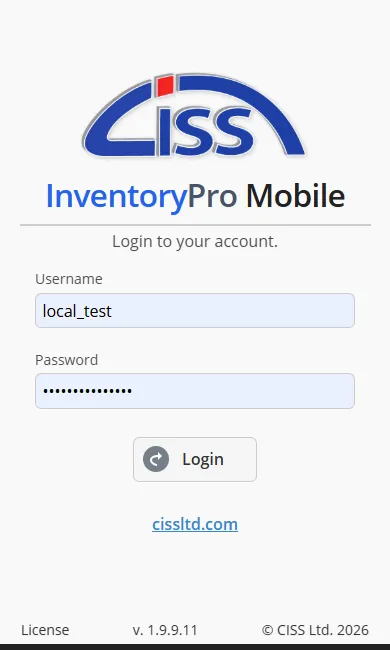
Mobile login screen with username, password, and warehouse selection fields

Login

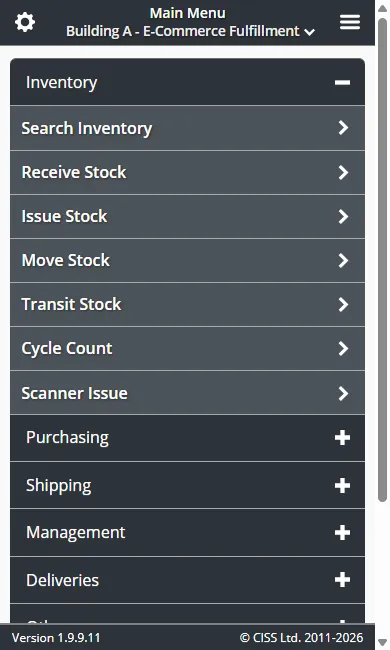
Mobile main menu showing Receive, Issue, Move, Cycle Count, and other inventory operations

Main Menu

Mobile receive stock form with item, quantity, location, and purchase order fields

Receive Stock

Mobile issue stock form with item selection, quantity, destination, and cost center fields

Issue Stock

All mobile transactions are transmitted over HTTPS with TLS 1.2+ encryption. Cloud-hosted mobile clients use the same isolated instance model as desktop -- your data stays separate from other organizations. See our Privacy & Data Policy for details.

No software to install - runs on

Works in any modern browser

Done with Spreadsheets?

Inventory Pro replaces your spreadsheet in about 10 minutes. Sign up, import your items, and start scanning with your phone.

Try Free - No Credit Card See Features Simple Pricing Mobile App