Organize Your Warehouse
Set up locations, zones, and bins that match how your space is laid out. Always know where to find things.
Multiple Locations
InventoryPro lets you set up multiple storage locations. Each one tracks its own stock levels, bins, and settings. Start with one room and add more as you grow.
- Each location tracks its own inventory
- Separate bins and zones per location
- Control who sees what at each location
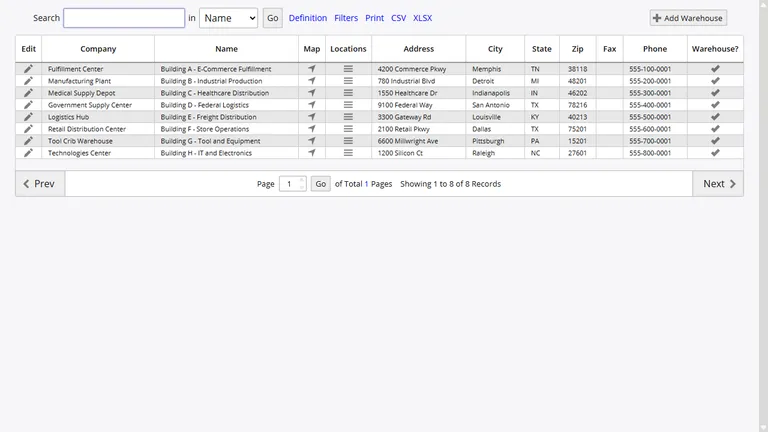
Shelves, Bins, and Zones
Set up bins, shelves, and zones the way your space actually works. Create a hierarchy that mirrors your physical layout - zone, aisle, rack, shelf - and give each spot a simple label your team can read at a glance.
Print barcode labels right from the system. Scan them when putting stock away or picking orders. You can nest locations inside each other, which is handy if you have multi-level shelving or need to group items by category.
Warehouse Maps
InventoryPro maps out your floor plan so the system knows exactly where everything lives. Define zones and aisles, then the system shows your team the fastest route to pick items instead of sending them back and forth across the room.
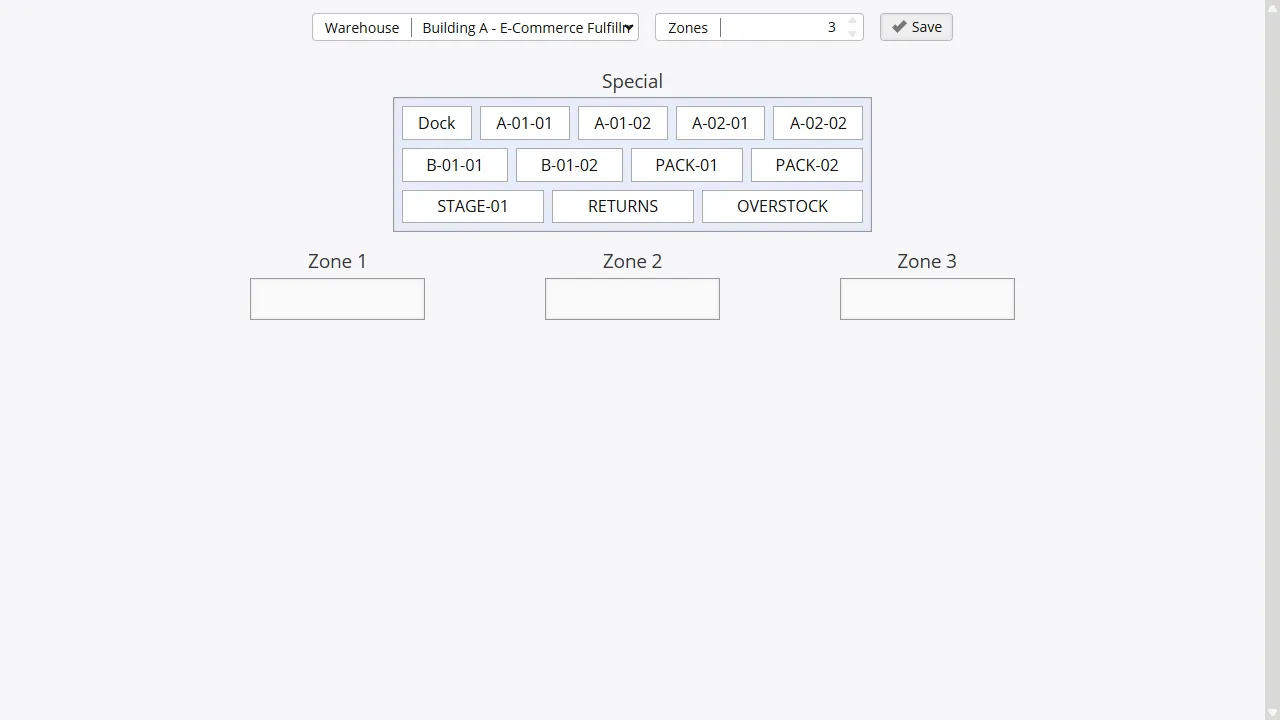
Works for a small storeroom or a full warehouse. The map guides your team through picking and putaway in the most efficient order.
Picking, Packing, and Putaway
When an order comes in, InventoryPro tells your team exactly where the items are and in what order to grab them. The system picks the oldest stock first (FIFO) so nothing sits around past its prime. Scan barcodes at each step to keep everything accurate.
When stock arrives, putaway lists show your team the best place to store it. You can handle multiple orders at once by grouping picks from the same location, which saves time when things get busy. Items go through a packing step so nothing ships without a final check.
Faster Picking Routes
Orders list items in the order your team will find them, not alphabetically.
Batch Picks
Pull items for several orders at once when you're busy.
Smart Putaway
The system suggests the best bin for incoming stock.
Packing Checks
Confirm items are packed before shipping. Print labels along the way.
Which Items Go Where
Not every item belongs in every location. InventoryPro lets you decide which items are available at each site. You can assign items one at a time or in bulk, and the system shows you which locations currently hold stock for each item.
The system won't let you accidentally remove an item from a location that still has stock, so you don't end up with gaps in your inventory. Changes sync with your orders and purchase orders automatically.
Move Stock Between Locations
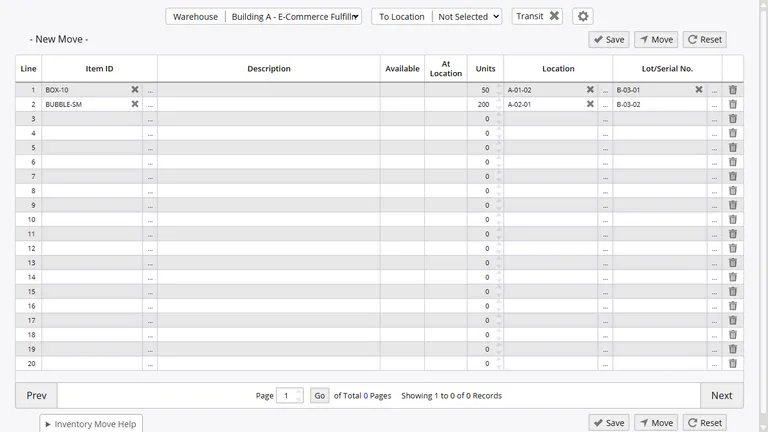
Need to move stock from one location to another? InventoryPro tracks the transfer from start to finish. You can see when it ships, when it arrives, and confirm everything was received.
Sent
On the Way
Received
Get Your Warehouse Under Control
Set up locations, assign bins, and start tracking where everything is. Try it free - no credit card needed.