Make It Yours
Pick your theme, rearrange your screens, and add fields that match how your business works.
Display Themes
Pick the look you prefer. Dark mode for late nights in the warehouse, light mode for the office, or something in between. Switch from the main menu with one click.
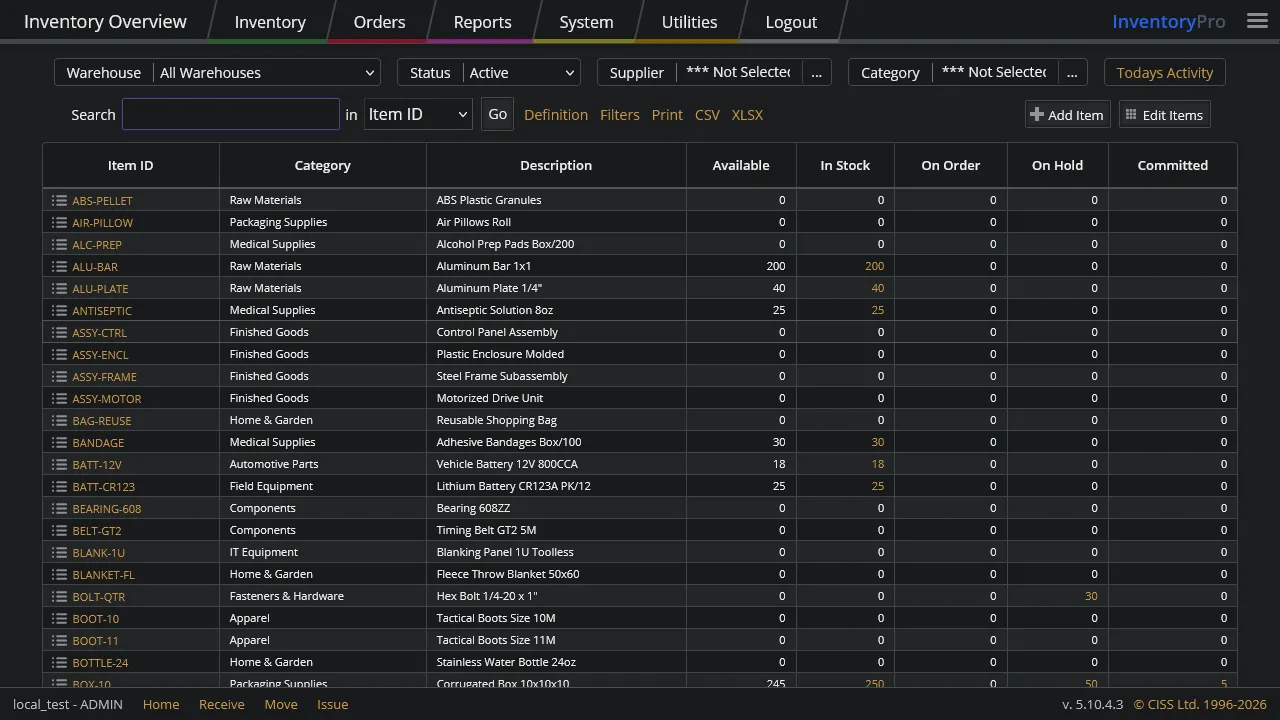
Dark
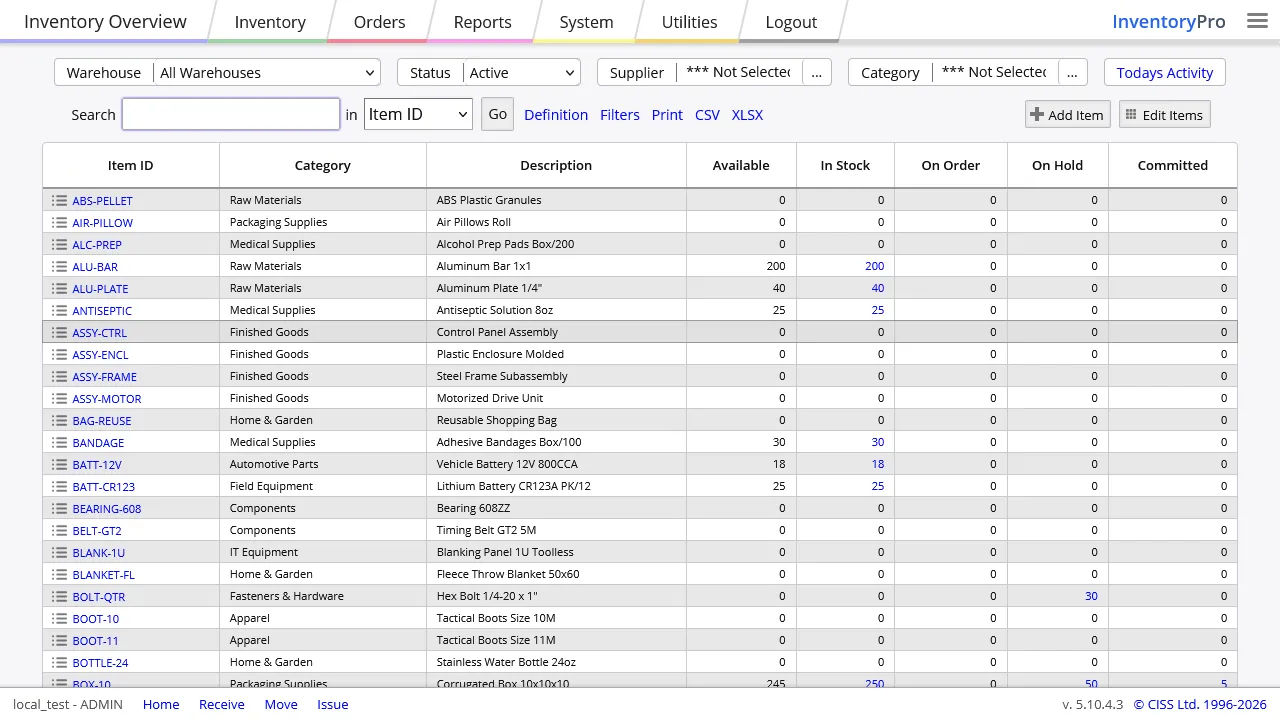
Medium
Light
Your choice sticks between logins. If you have not picked one yet, the app matches your device's light or dark setting automatically.
Your Columns, Your Way
Every list and grid in the app can be rearranged. Show the columns you care about, hide the ones you do not, drag to resize, and pick your sort order. Your layout saves automatically.
- Show, hide, or reorder any column
- Drag column edges to resize
- Each person keeps their own layout
- One click to reset back to defaults
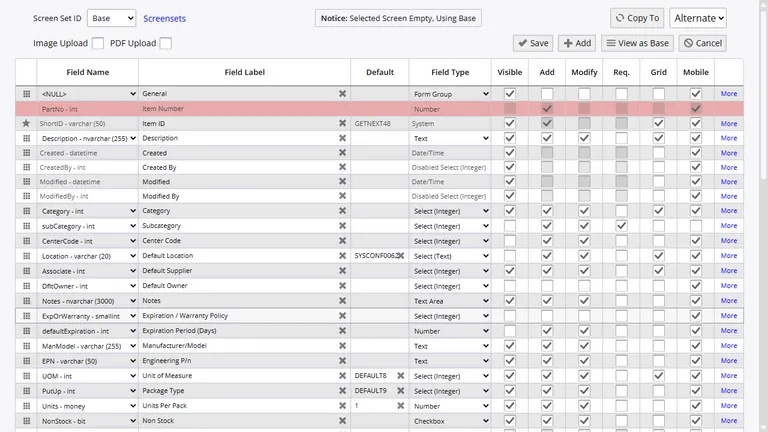
Custom Fields and Forms
Every business tracks different things. Add your own fields to items, orders, or asset records. Choose which fields show on each screen, which ones are required, and which are read-only.
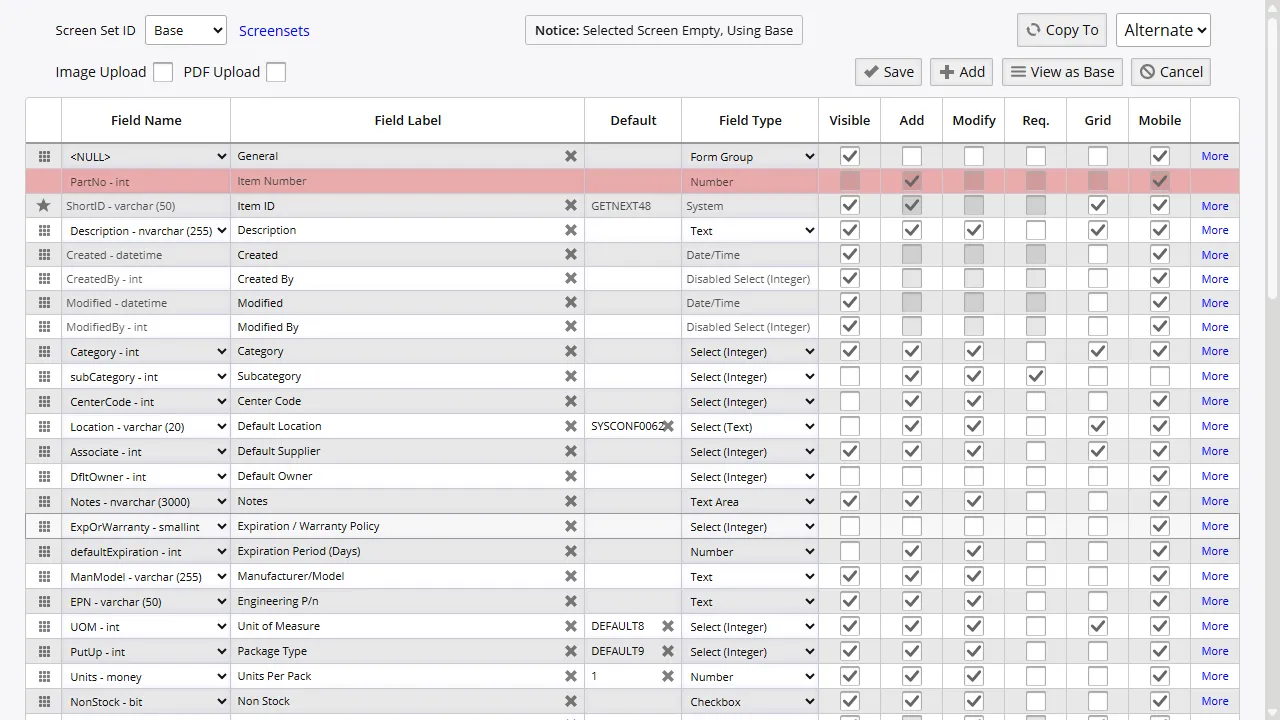
Show or Hide Fields
Turn fields on or off per screen. Your warehouse team sees different things than your office staff.
Add Your Own Fields
Text, numbers, dates, or dropdown lists. Attach them to items, orders, or assets.
Set Defaults
Admins set the starting layout. Team members can adjust their own view or go back to the default.
Reports and Labels
Change column widths, sort order, and filters on any report. Your personal filters do not affect anyone else's view.
Barcode labels and printed documents can be adjusted too. Match your existing label sizes and add your business name.
Set It Up Your Way
Start free and customize everything. Themes, fields, layouts - your team sees exactly what they need.