Scan First, Count Later — and Stop Guessing
Every time someone types a quantity from memory, a mistake gets in. Point a phone at a barcode instead and let the stock records update themselves — no special equipment to buy.
Every Label You'll Meet, Supported
InventoryPro reads the barcode formats that actually show up in small-business stockrooms: Code 128, UPC, and EAN for retail goods, DataMatrix and PDF417 for parts and ID tags, QR codes (Standard and above), and RFID for asset and location tracking. No extra configuration per format.
Need labels for your own stock? Our free barcode generator creates printable labels for items, bins, and locations in any supported format.
The Phone in Your Pocket Is the Scanner
Any phone or tablet camera works as a barcode scanner. Staff open the mobile interface, aim at the label, and the code decodes on the spot — camera scanning runs locally on the device.
That means a new hire can start scanning within minutes of getting login credentials. No hardware to buy, no scanners to maintain — deploy on the phones your team already carries.
Add a Fast Scanner When You're Ready
When speed matters — a long receiving line or a busy pick day — plug in a Bluetooth or USB scanner from Zebra or Honeywell and it just works. The scanner types into the active field; no drivers or middleware to install.
- Bluetooth ring scanners for hands-free picking
- USB wired scanners at the receiving counter
- Ruggedized handhelds for the rough stuff
Scan Instead of Typing, for Every Transaction
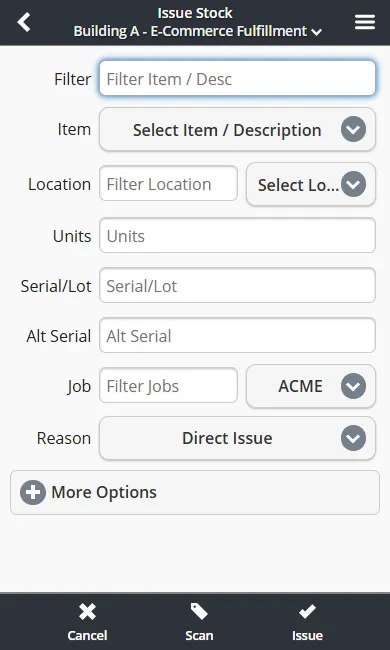
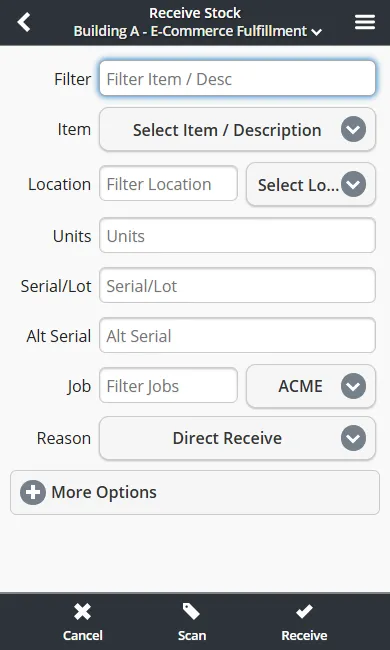
Scanning isn't just for receiving. Every stock move in InventoryPro supports scan-to-action: issues, receives, moves, cycle counts, shipping, and work order picks. Scan the item, scan the location, confirm the quantity. It's the same two-second habit whether you use a phone camera or a rugged scanner.
Ship It
Scan items off the shelf for a shipment or work order and the stock moves with the scan.
Receive It
Scan against a purchase order or blind-receive. The system checks item and quantity against what's expected.
Move and Count
Scan from bin to bin for moves, or scan items during cycle counts.
How We Compare
vs. Dedicated WMS Hardware Systems
Traditional WMS platforms often lean on dedicated devices that are costly to buy and replace. InventoryPro runs on the phones you have, with faster scanners available when a lane needs them.
vs. Free Barcode Scanning Apps
Free scanning apps read barcodes but don't touch your inventory data. In InventoryPro the scan IS the transaction — stock level, location, and serial number all follow the item.
Try It on Your Own Phone
We'll walk the scanning workflow on your devices and show you where it fits your shop — no hardware to buy first.