Barcode Scanning
You can scan barcodes with your phone right now - no special hardware needed. Or pick up a dedicated scanner if you move hundreds of items a day.
Start with Your Phone
You do not need to buy a barcode scanner to get started. Open Inventory Pro on your phone camera and scan any barcode in seconds. No app to install, no hardware to set up. Just point, tap, and your inventory updates.
That is how most of our customers begin. They sign up, scan a few items with their phone, and see how fast it is to replace spreadsheets. If your business grows and you are scanning hundreds of items a day, you can always pick up a dedicated scanner later. The software works with both.
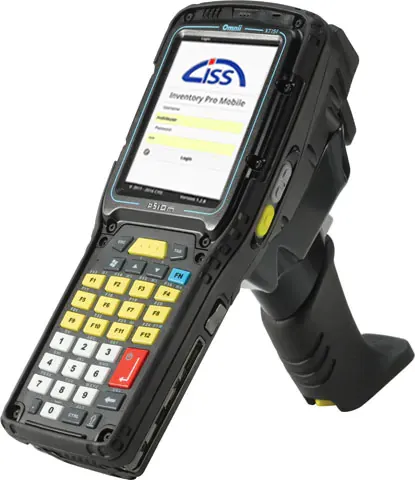
Your Options
Your Phone (Free)
Open Inventory Pro on your phone and scan any barcode. No hardware to buy, no setup to configure. This is how most small businesses start. If you are scanning under 200 items a day, your phone is all you need.
Dedicated Scanner ($200-500)
When scanning hundreds of items a day, a dedicated scanner saves time and fatigue. They are built to survive drops, have all-day batteries, and scan faster than a phone camera. Popular brands include Zebra, Honeywell, and Datalogic. We can help you pick one that works with Inventory Pro.
Start Free, Upgrade Later
You do not need to buy a scanner to start. Use your phone for free. When your business grows and you are scanning hundreds of items a day, a dedicated scanner ($200-500) pays for itself in saved time and fewer errors.
That is the beauty of Inventory Pro - you can start with what you have and scale as you grow. No big upfront investment. No hardware requirements. Just sign up and start scanning.
Works with Your Phone or Any Scanner
Inventory Pro works with the phone camera you already have. It also works with dedicated barcode scanners if your team prefers them. Both feed data the same way into your inventory - receiving, issuing, cycle counts, and transfers.
When you start, use your phone. When you need to scan faster, add a dedicated scanner. The software does not care which one you use.

You can start scanning right now with your phone. No hardware required.
Done with Spreadsheets?
Inventory Pro replaces your spreadsheet in about 10 minutes. Sign up, import your items, and start scanning with your phone.